Active DirectoryWindows Server-Sistem Yöneticiliği
Organizational Unit Configuration in Active Directory
As you can probably tell from the title, in this article I'll do my best to walk you through " Organizational Unit Configuration in Active Directory ".…

Mehmet Kadir CIRIK
Hello everyone. :)
As you can probably tell from the title, in this article I’ll do my best to walk you through “Organizational Unit Configuration in Active Directory”. I mentioned the concept of Organizational Units in an earlier post. You can learn more about it in this link.
Organizational Units are a structure used to classify objects inside Active Directory or a Domain. In short, you can think of them as folders within Active Directory.
- Here, everything you see under the kadircirik.com domain — all the folders and elements — can actually be called an Organizational Unit.
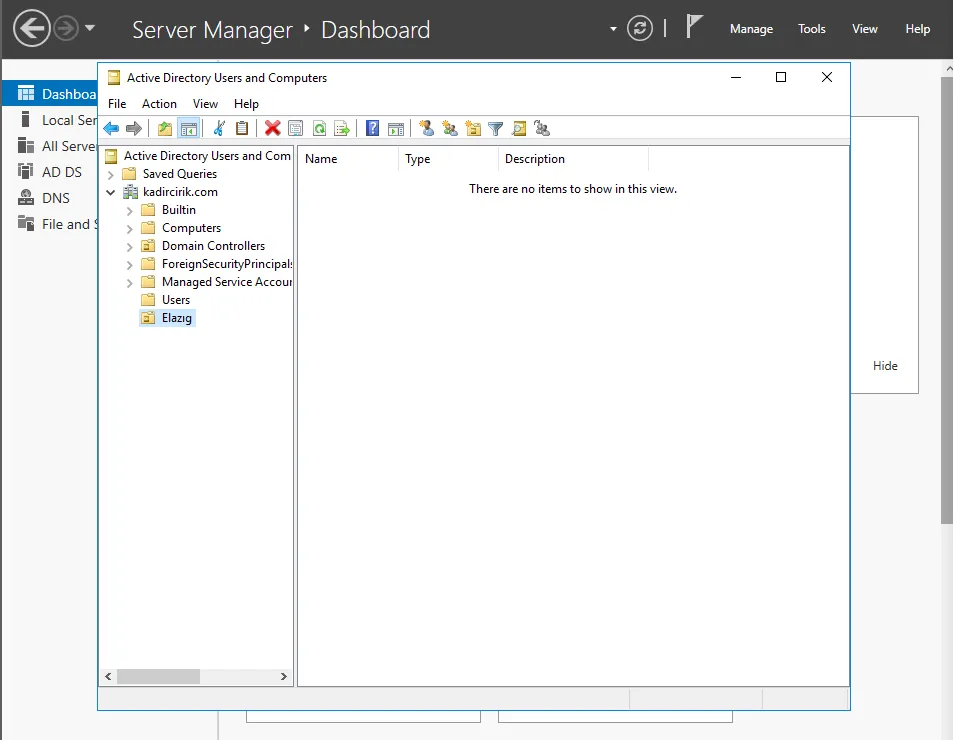
- I want to create an Organizational Unit named Elazığ under my Domain here. To do this, we click right-click>new>Organizational Unit.
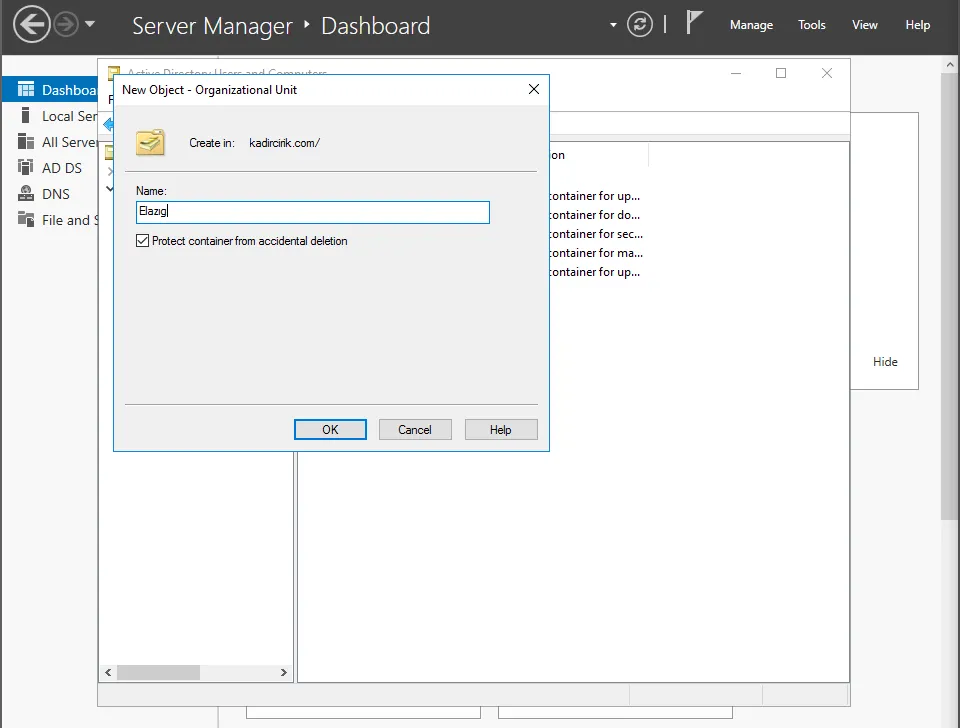
- As you can see here, the Organizational Unit we wanted to create has now been created.
- Now I’ll create another folder under the Elazığ folder I just created.
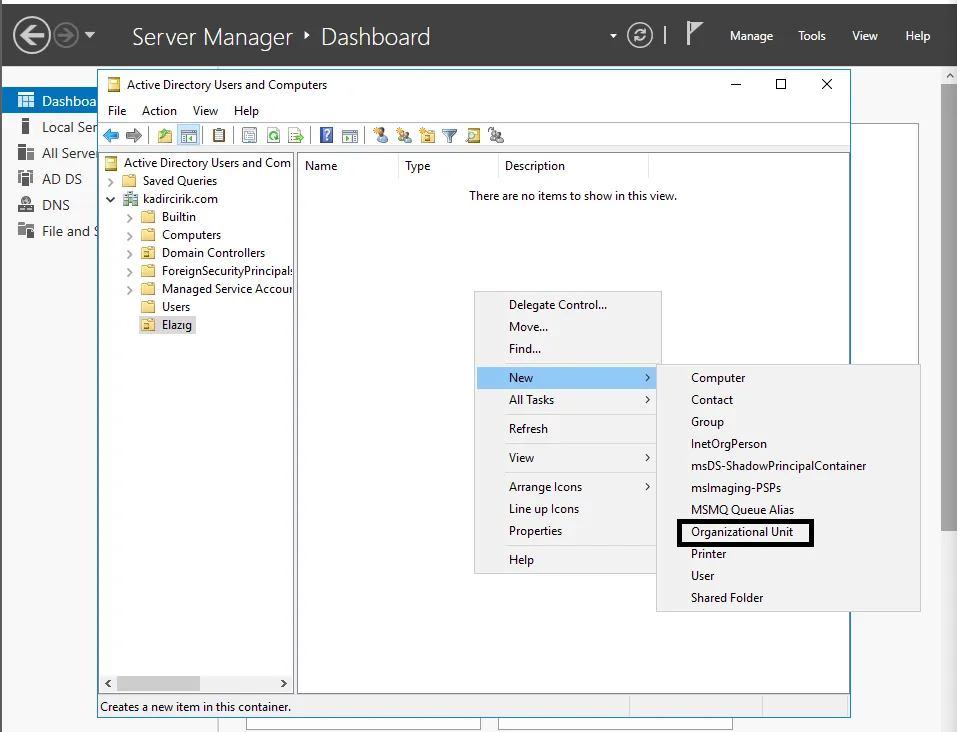
- Here I’m naming this folder “Stajyer” (Intern). I created this folder because I want to add the intern users under our domain into it.
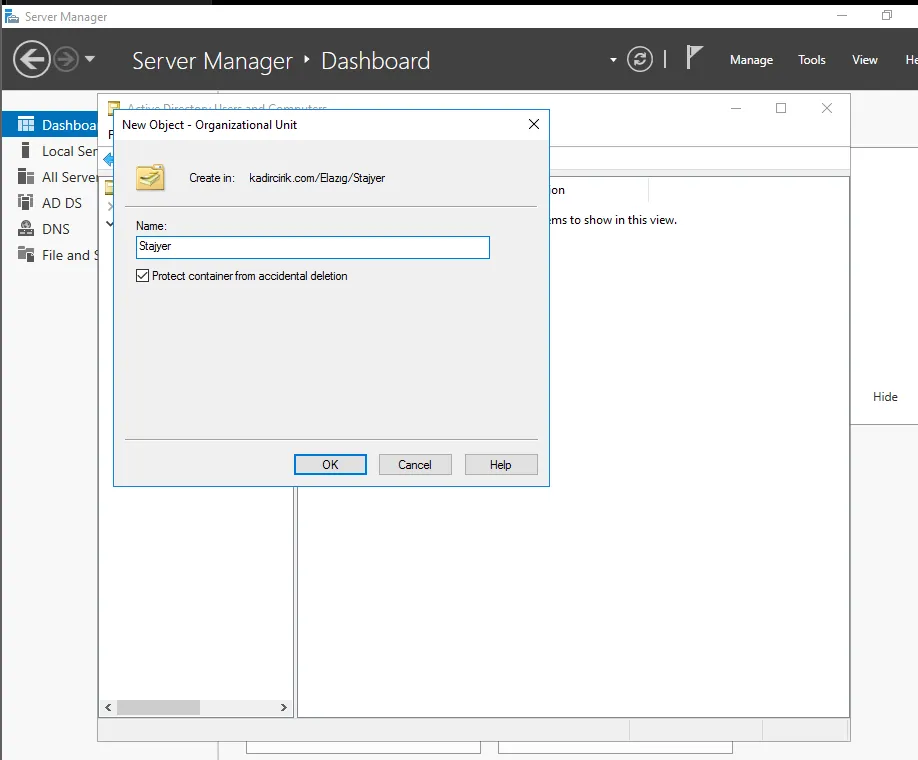
- We can see that our Stajyer folder has been created as well.
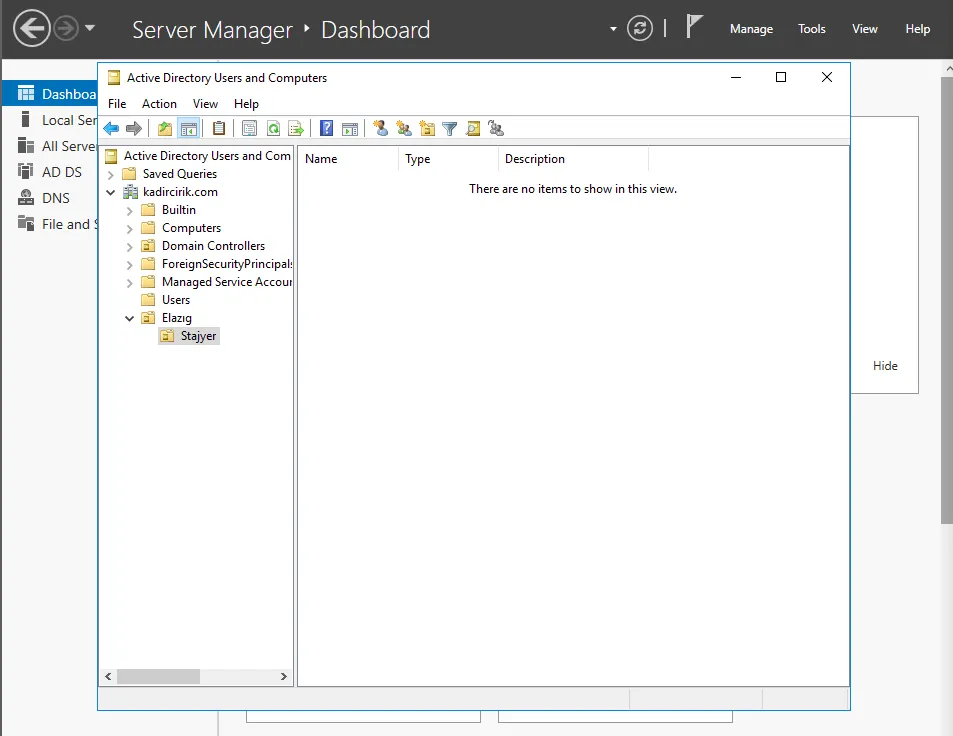
- Next, using the same process, I create a “Adli Bilisim” (Digital Forensics) folder as well. I’ll place the users from the Digital Forensics field into this one.
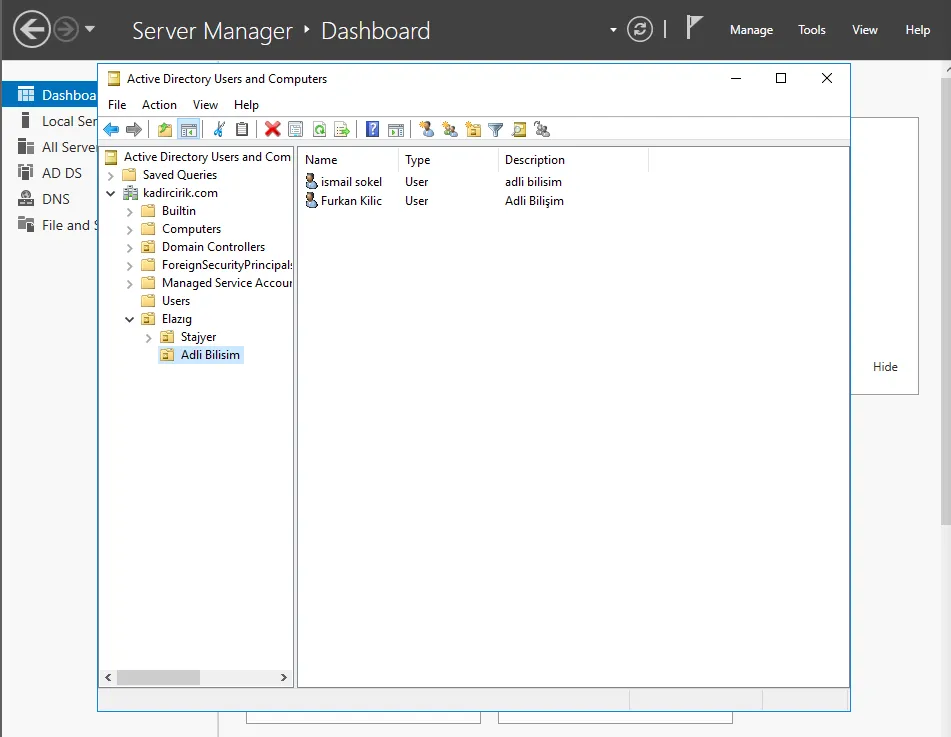
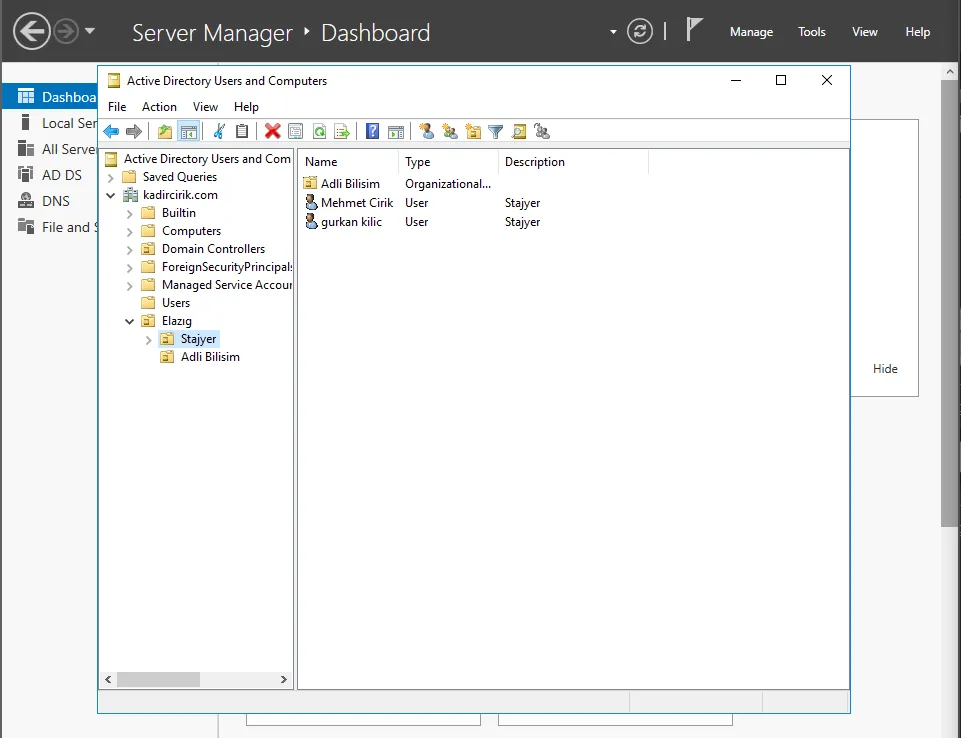
- In this step, we go to the “Users” folder and drag and drop the users we created in our previous article into the folders under the Organizational Unit we just created.
- As a result of this, I move the relevant users into my “Stajyer” and “Adli Bilisim” folders.
Thanks for reading this far. :) Stay healthy.