Cyber Threat Hunting and Hunt the IOC
Today, in environments where widely used cybersecurity solutions are deployed, there are alarm evaluation systems built for security purposes. There are centralized log…

Greetings everyone. :)
Today, in environments where widely used cybersecurity solutions are deployed, there are alarm evaluation systems built for security purposes. There’s SIEM (Security Information and Event Management) for centralized log collection and correlation, IDS/IPS (Intrusion Detection System) for network security, and many other cybersecurity products used alongside them. With these products, specific incidents can be detected and mitigated, making it possible to strengthen system security. However, cyber threats keep growing day by day as well.
In recent years, attacks have become more sophisticated and persistence-oriented, aimed at extracting more sensitive data from organizations and damaging their reputation. Most of these attacks are high-risk attacks carried out using automated tools. Threat Hunting plays a very important role in detecting these advanced attacks that attackers are planning or have already carried out.
The M-Trends 2015 report stated that the average time to discover an attacker after a system compromise was 146 days, and by 2016 this average had dropped to 99 days. Cyber threat hunting emerges as a necessity for further reducing this average time.
Threat Hunting
Threat Hunting is a process aimed at finding, i.e. hunting down, any software or malicious threats that pose a risk to systems within an organization’s scope of authority, and eliminating them.
From another perspective, a threat hunter has both proactive and reactive duties. When facing a threat actor, combining threat intelligence with research skills reflects the proactive side, while combining digital forensics with forensic analysis reflects the reactive side.
In short, a threat hunter must stay up to date on the newest and most advanced persistent threat groups, and must have research skills to be able to carry out threat intelligence activities. At the same time, they must also have reporting skills in order to effectively make sense of their research.
Threat Hunting and Cyber Threat Intelligence
Threat intelligence is a sub-discipline of the Threat Hunting process. When carried out properly, threat intelligence greatly facilitates threat hunting activities. Threat hunting is also an extremely important activity for malware detection.
The threat intelligence process involves collecting indicators of previously identified and detected threats, and compiling these IOCs into a list that will be used as a reference in our scans to detect them on the systems under examination.
The intelligence data gathered as a result of threat intelligence work can be automated by integrating it with cybersecurity devices such as SIEM, SOAR, IDS, and IPS.
Pyramid of Pain
This triangle, known as the pyramid of pain, essentially shows how and to what extent attack actors or attack groups can be detected.
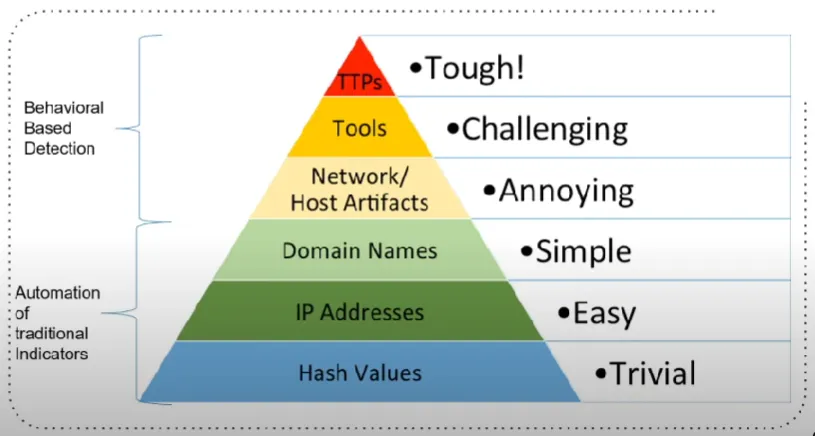
This triangle shows indicators that are harder to detect as you go from bottom to top, while indicators that are easier to change are shown as you go from top to bottom. As a result, it becomes clear that not all IOCs carry the same level of reliability.
Hash Values:
Hash values are shown as the easiest to change on this triangle, and are very simple values that can be used by adversaries to mislead defenders. If a malicious file belonging to any attacker group is detected, we need to keep in mind that this file isn’t very reliable and may have been modified.
IP Addresses:
IP addresses, like hash values, can also be changed easily and can be misleading. IP addresses can be hidden by placing a number of proxy devices in between. Or attackers can constantly change their main IP addresses by using a variety of different infrastructures to hide them.
Domain Name:
Domain names can likewise be changed just as easily. The domain name of the site used in an attack can be changed easily. And detecting these is quite difficult.
Network/Host Artifacts:
This category covers the traces that attacker groups leave on our devices or networks after gaining access. This is a more reliable category compared to the other indicators.
Tools:
Attackers change their approach or the infrastructure they use during an attack. However, the tools they fundamentally rely on, and the traces they leave on the network, generally don’t change.
TTPs:
From a Threat Hunting perspective, the most reliable data is TTPs. If a threat actor group’s TTPs can be extracted, the chances of catching that group increase.
Behavioral Based Detection:
This is the behavior-based detection process. These are detection processes now based on the behaviors that groups exhibit.
Hunting the IOC
In this section, we’ll do a hands-on exercise on how an IOC can be extracted and how we can detect the indicator we’ve extracted on our system. To do this, we’ll use;
- FireEye Redline
- FireEye IOC Editor
FireEye IOC Editor is a free tool that provides an interface for managing data and modifying the logical structure of IOCs. Within the IOC Editor you can:
- Manipulate the logical structures that make up an IOC.
- Apply detailed descriptions or, optionally, tags to IOCs.
- Manage the list of “terms” used in IOCs.
In this exercise, I’ll use this tool to create the SHA1, MD5, file size, and name of the file we’re using as our example IOC. Then I’ll try to detect the presence of that file on my system.
FireEye Redline
Redline enables the investigation of malicious activity on systems through memory and file analysis assessment.
With Redline, you can:
- Audit and collect data on all running processes, memory data, file system metadata, registry data, event logs, services, tasks, and web history.
- Analyze and view data using a specific time range.
- Get a workflow for analyzing malware.
- Perform IOC review and analysis.
In our exercise, we first open our IOC editor. Here, we create an IOC Director from the “Open IOC Director” section.
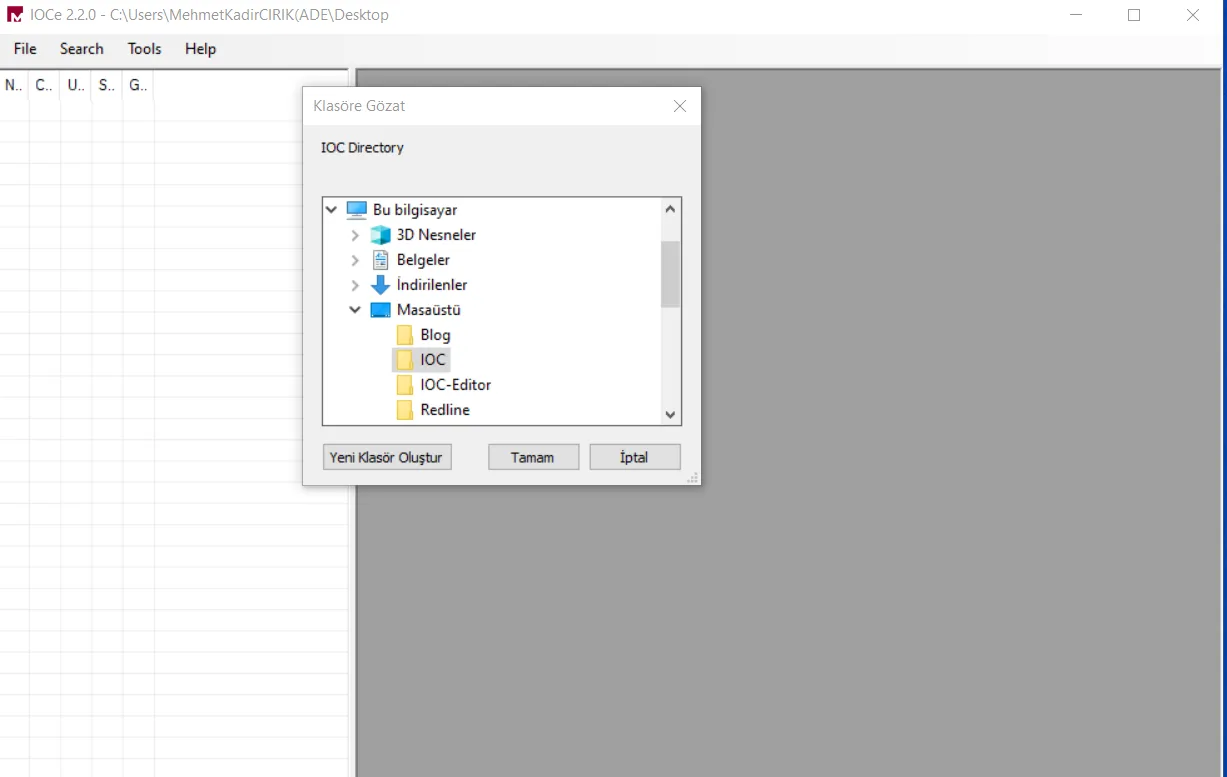
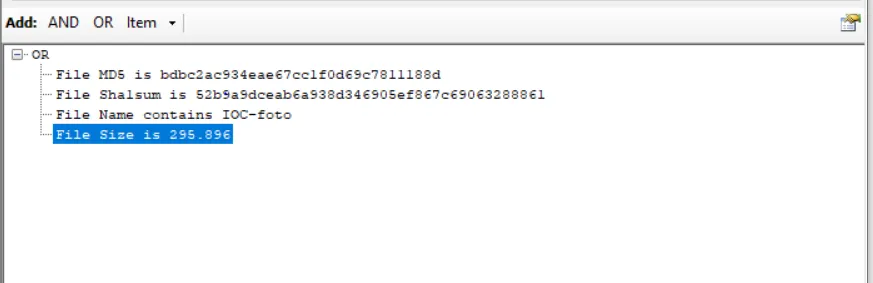
In this section, we first determine an IOC to investigate on our system. Here, I extracted 4 different IOCs from a PNG file. These are:
- MD5 hash
- SHA1 hash
- File size
- File name
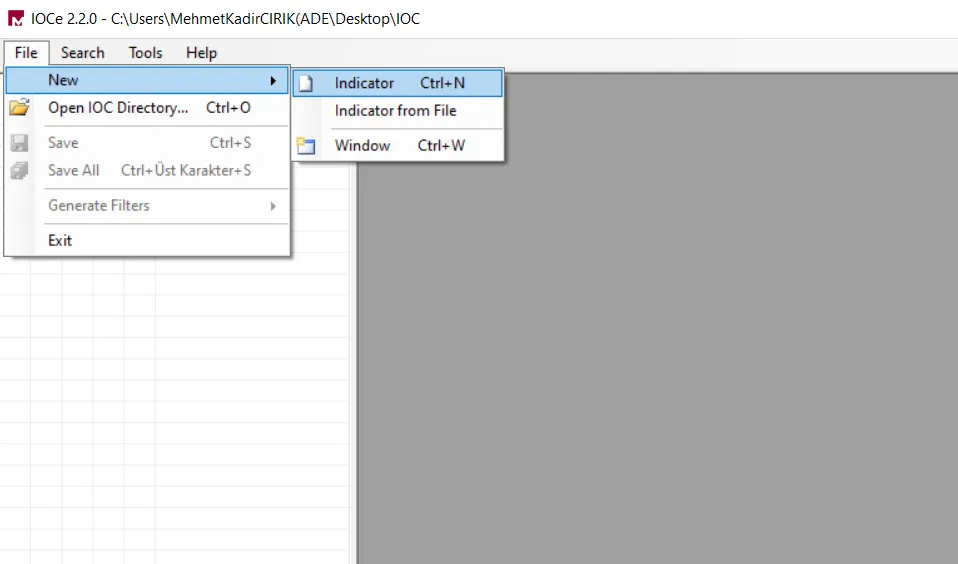
Next, we open PowerShell as administrator. Here, we pass the -hashfile parameter to the certutil.exe command. This lets us see the hash value of any file.


Next, we go to the “indicator” tab and fill in the name and author fields at the top however we want.
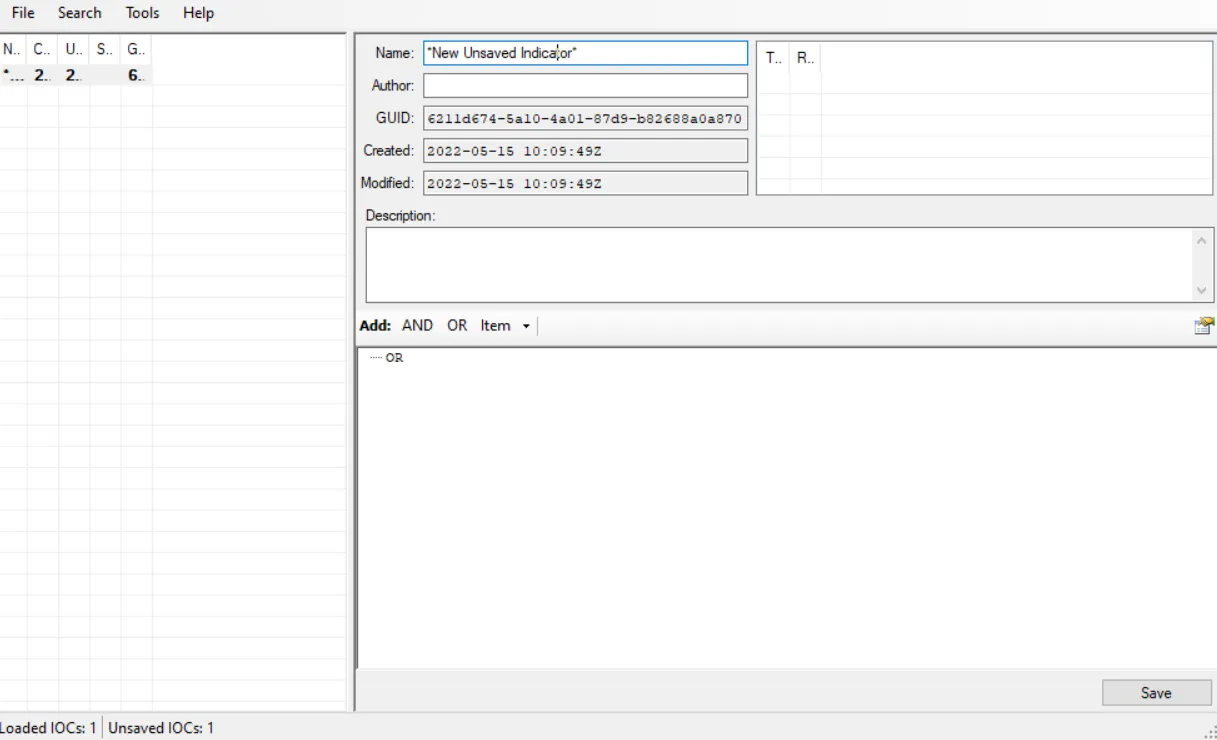
Now in this section, in order, as below,
- MD5,
- SHA1
- File Name,
- File Size
we enter these values to build our IOC.
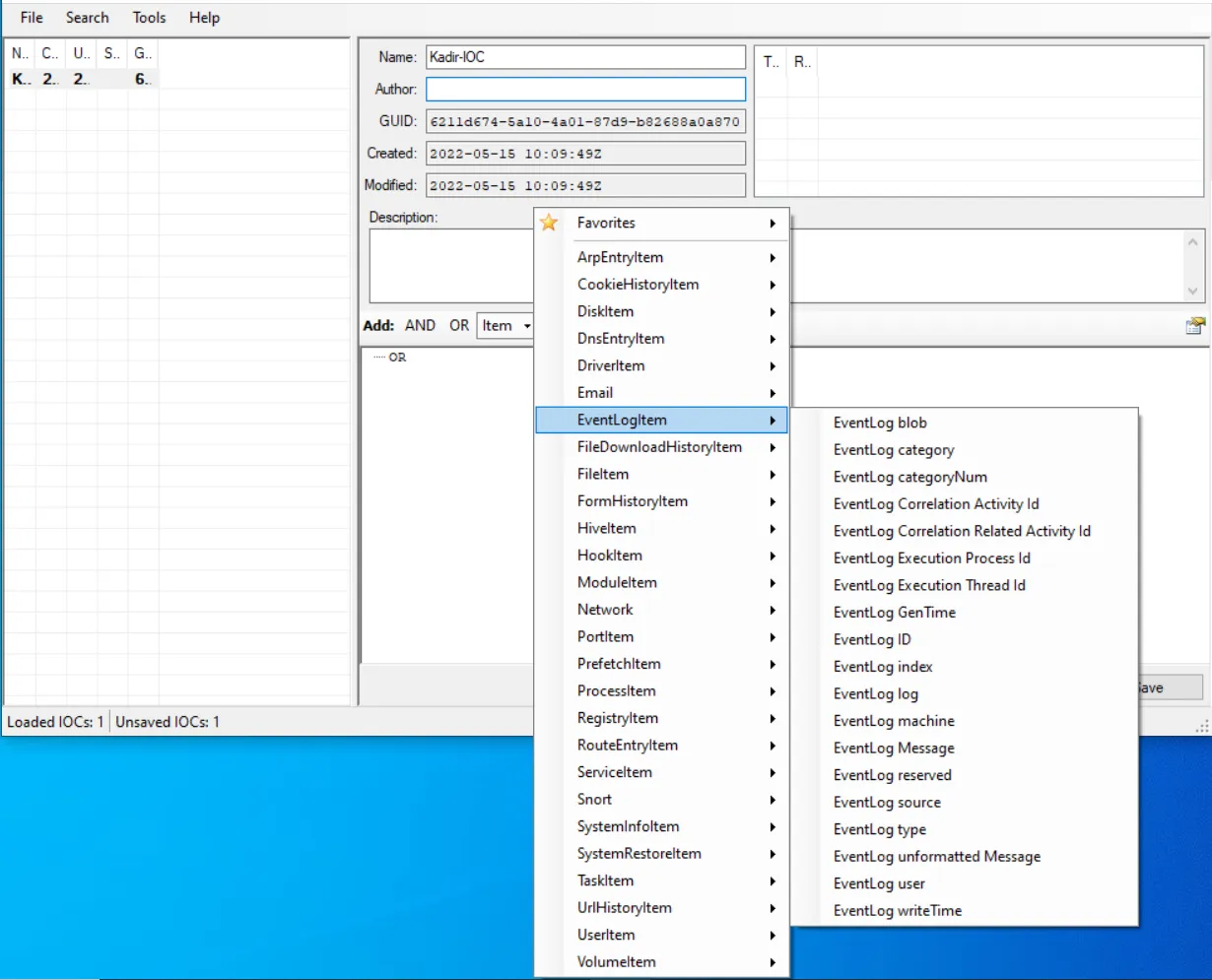
We select the File MD5 value.
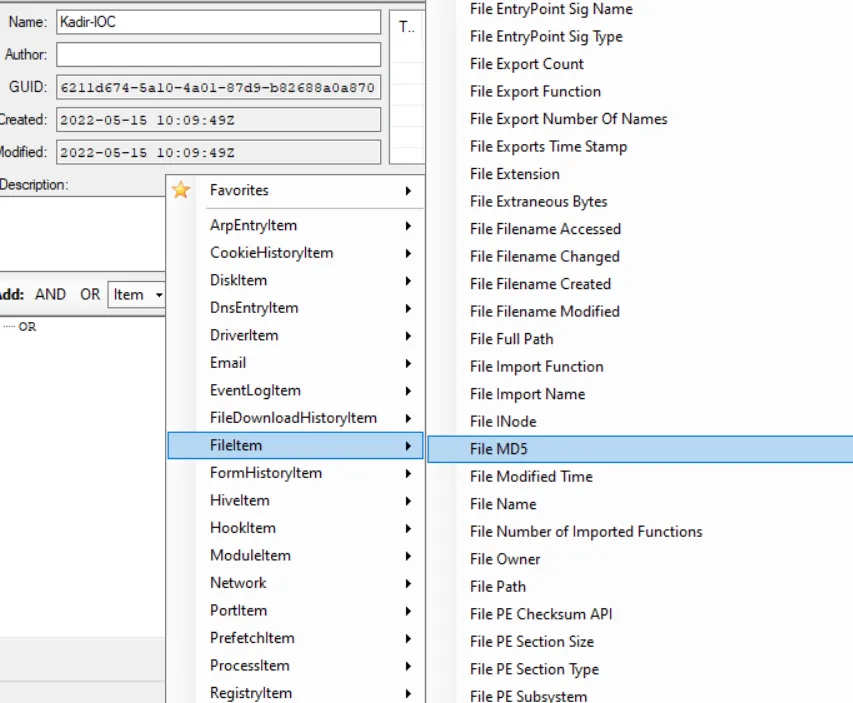
We select the File SHA1 value.
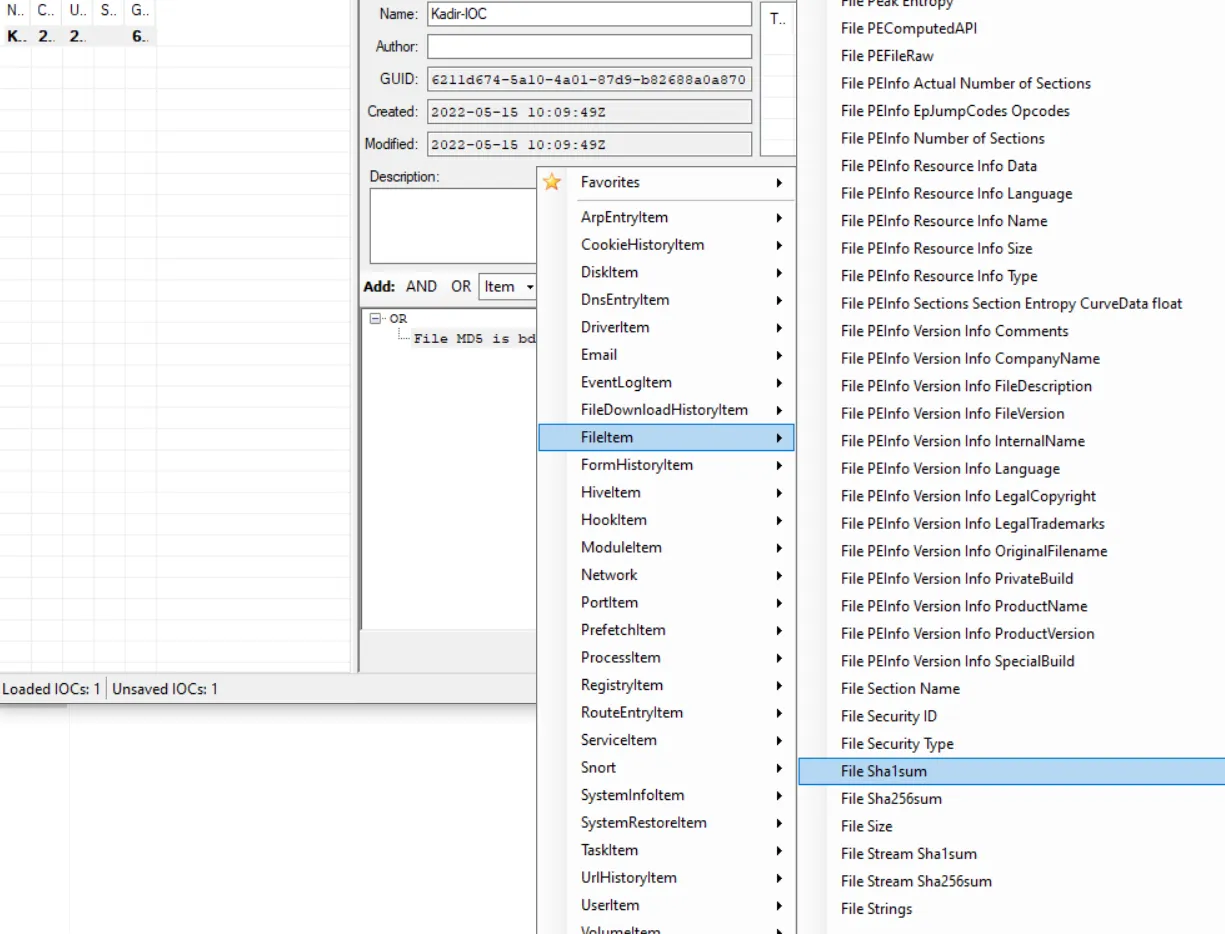
We select the File Name option.
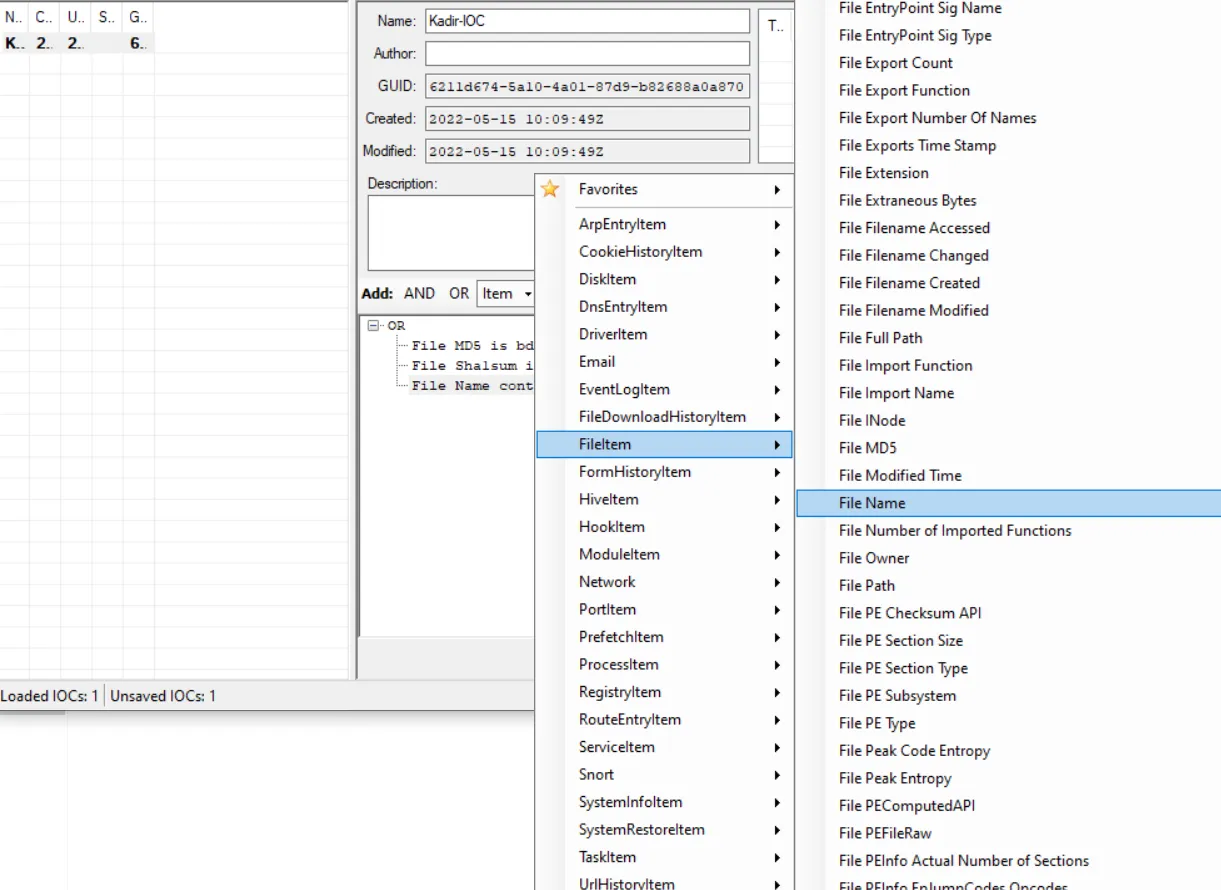
Finally, we view the data we selected as our IOC as shown below. Then we save it by clicking save.
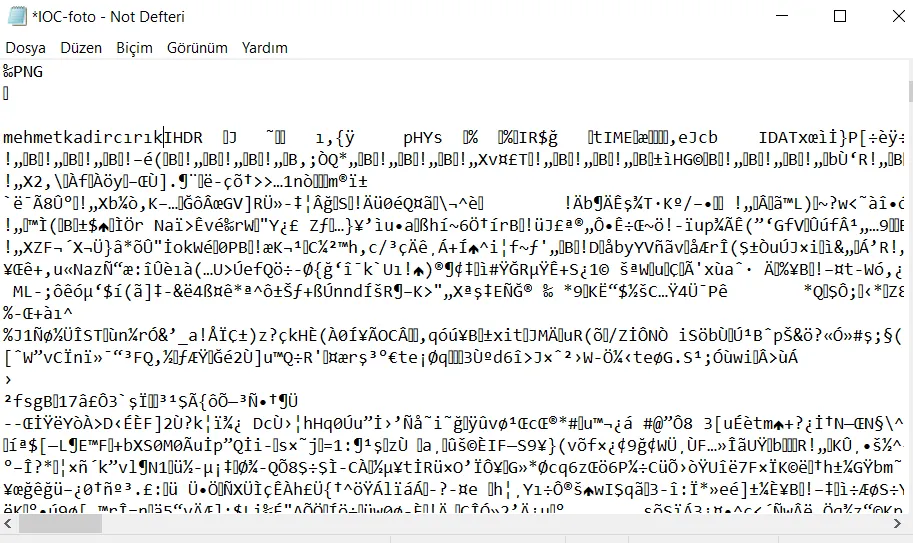
Next, I open the PNG file we selected as our IOC in a text editor and change its hash value by writing my name at the beginning of it. By doing this, we’ll see whether Redline can still detect this file. :)
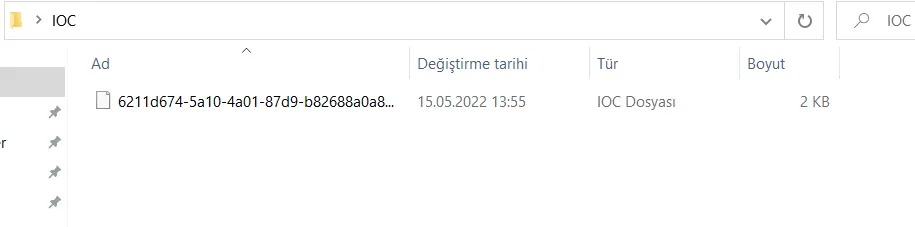
Here we can see the content of the IOC file we created.
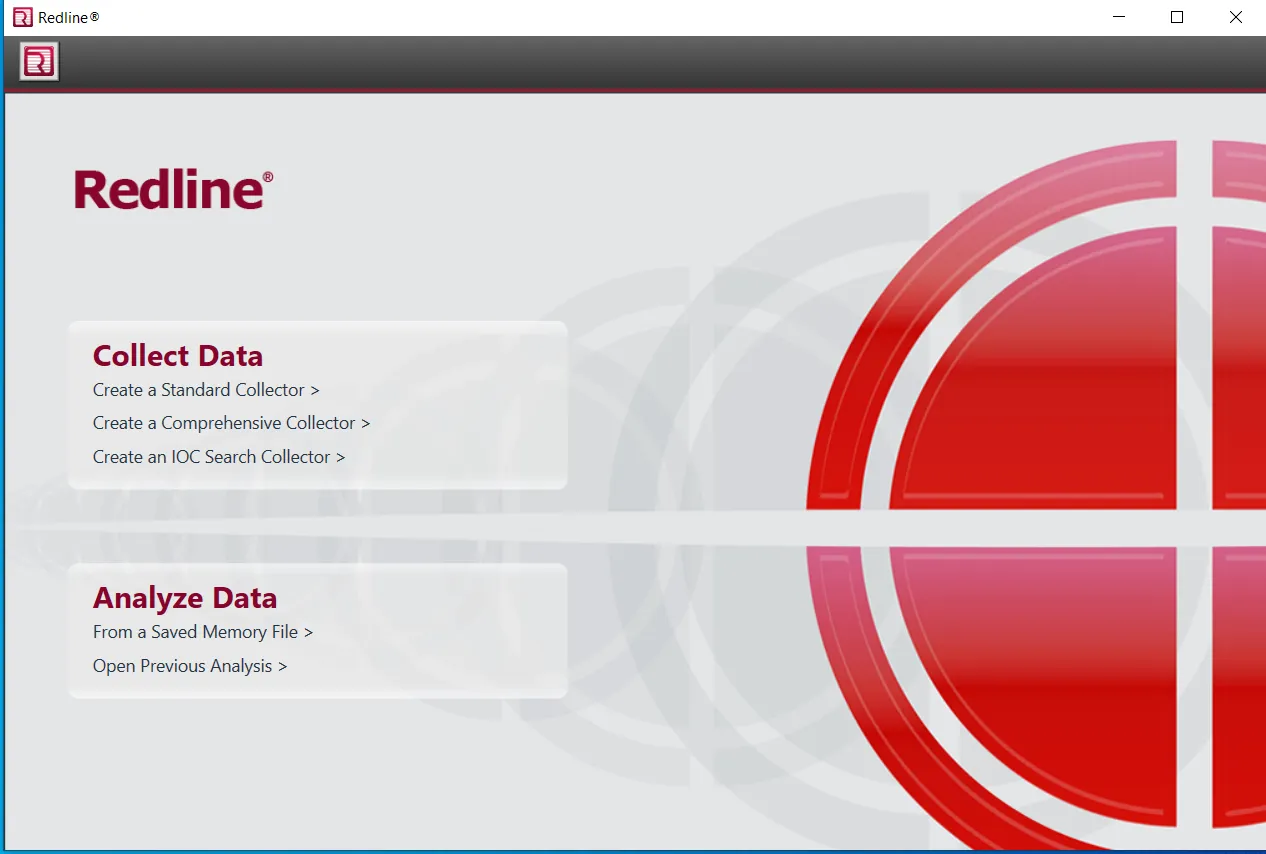
Next, we’ll use the Redline tool to search for and detect the IOC we created on the network.
First, we select the “Create an IOC Search Collector” option.
In this section, we provide the location of the IOC file we created.
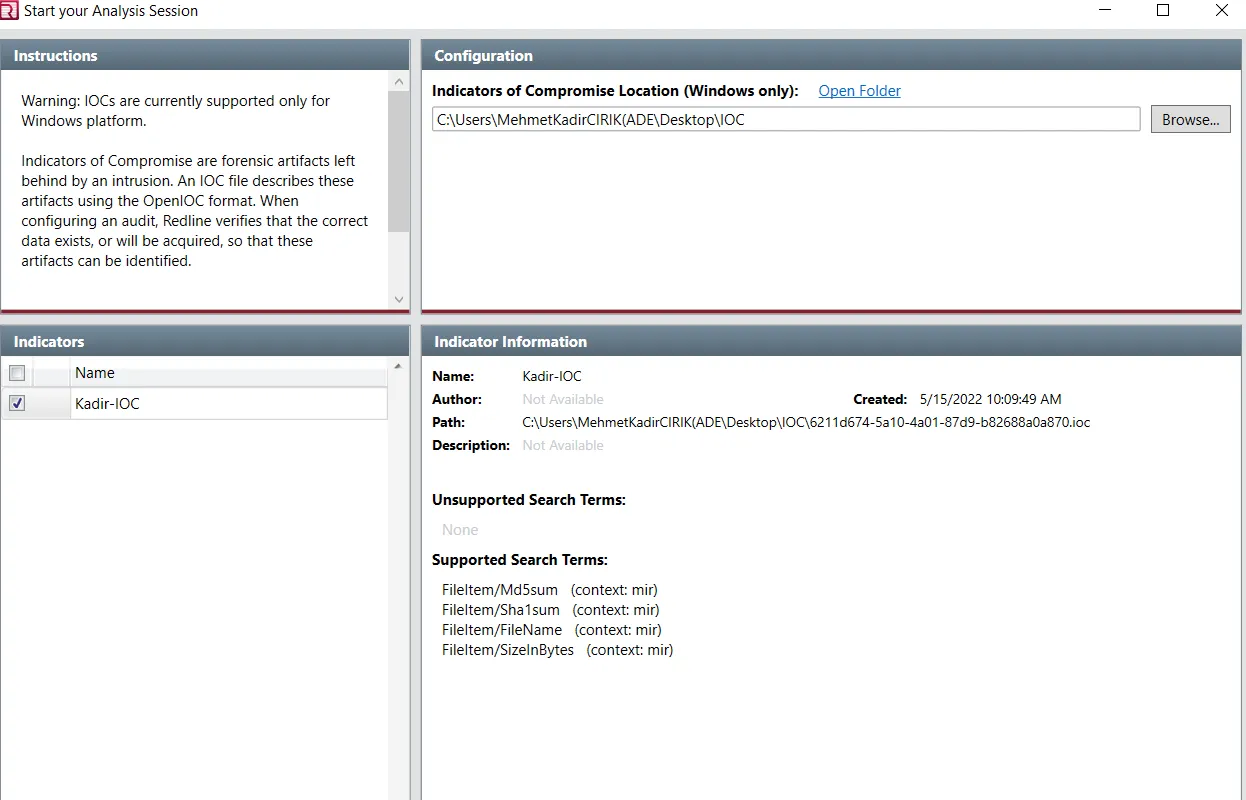
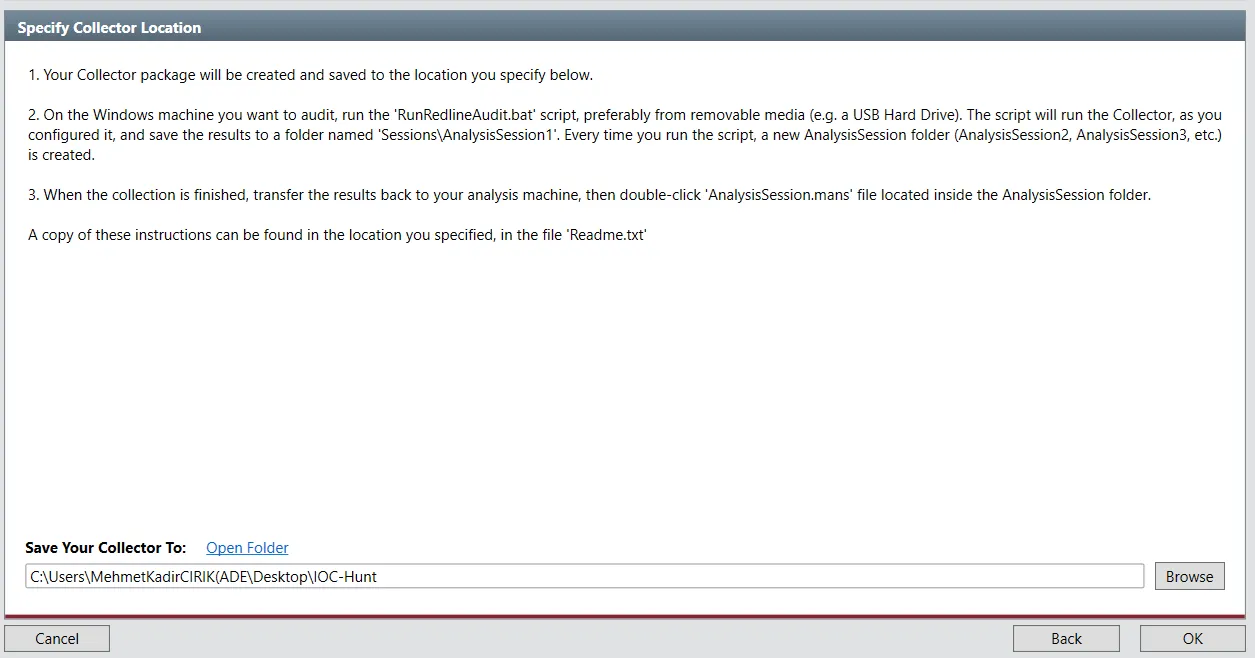
Here, it asks us to select where the collector it will generate, and where the results, should be output.
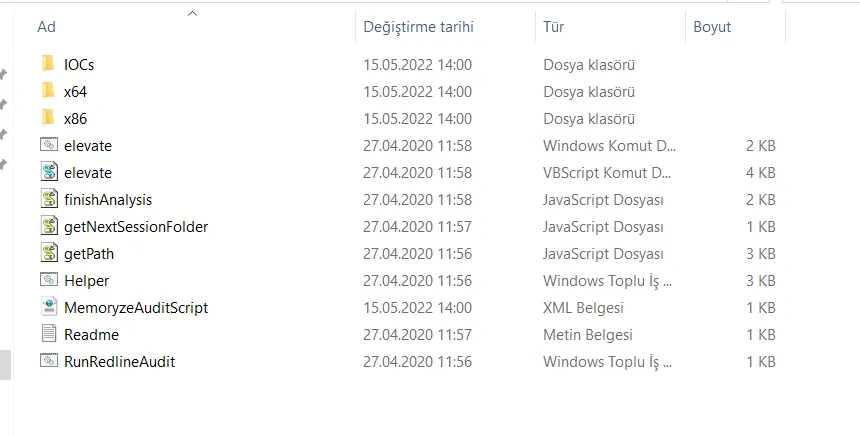
Here we see the content of the file that will be generated and where the results will be output.
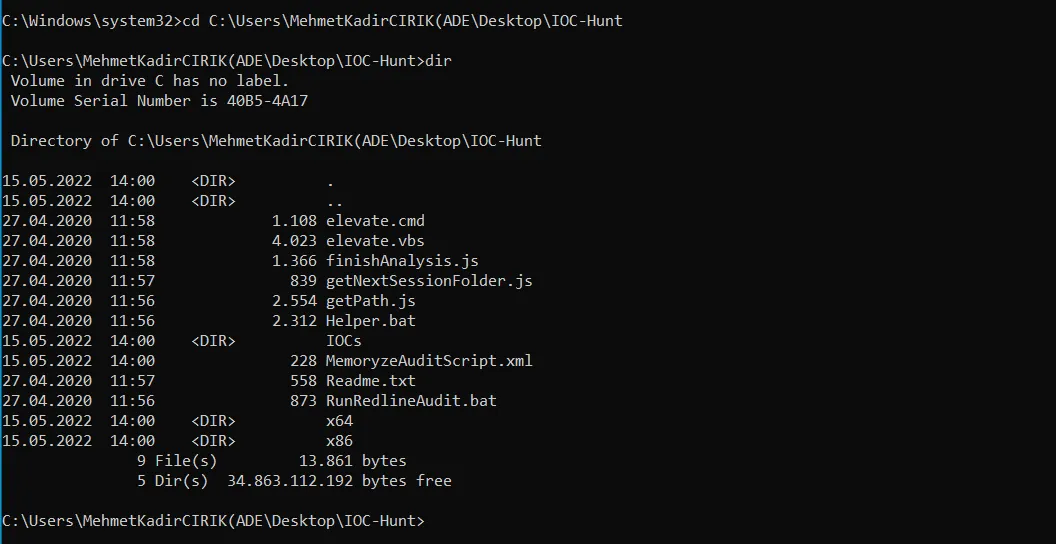
In the final step, we run our CMD prompt as administrator. We navigate to this location and start our scan by running the RunRedlineAudit command.
Then, after a while, you can open the scan results again through Redline and view and analyze whether the IOC file we prepared was detected on the system.
Thanks for reading this far. :)
Sources:
- https://www.fireeye.com/services/freeware/redline.html
- https://www.fireeye.com/services/freeware/ioc-editor.html
- https://www.sans.org/posters/?focus-area=digital-forensics
- https://be4sec.com/2021/06/06/threat-hunting-i-understanding-threat-hunting/
- https://be4sec.com/2021/08/06/threat-hunting-iii-pyramid-of-pain/