What Is Nmap? Querying Port and Version Information with Nmap
In this post, I'll cover what Nmap is, its use cases, and how to use it, without getting too into the weeds. What is Nmap? Nmap…

Hello everyone. :)
In this post, I’ll cover what Nmap is, its use cases, and how to use it, without getting too into the weeds.
What is Nmap?
Nmap is one of the most well-known free network discovery tools out there. It lets users find live hosts on their network, as well as scan for open ports and operating systems. It can traverse firewalls, routers, IP filters, and other systems. Nmap was fundamentally designed for enterprise-scale networks and can scan hundreds of devices connected to a network.
Some of Nmap’s main uses include port scanning, ping scans, operating system detection, and version detection.
Now let’s talk a bit about how to use Nmap from the command line.
Step 1 >>>
- To open the Nmap tool from the command line, it’s enough to type “nmap” as shown in the image.

Step 2 >>>
- Next, to learn what Nmap’s parameters mean and how to use them, it’s enough to type the “nmap -h” or “nmap -help” command.
- After typing this command, you’ll get a result like the one shown below.
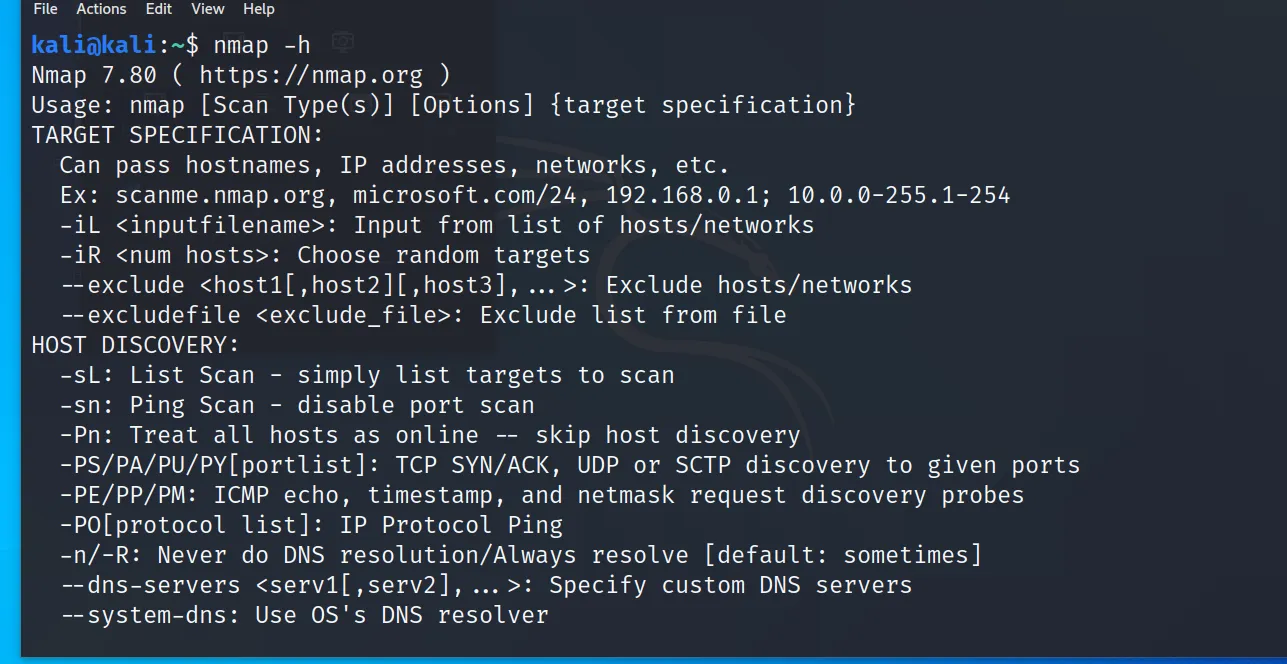
- I’ve covered what some of the ports mean and how the parameters are used below. You can get more detailed parameter usage from the output of the “nmap -h” command.
| Port Description | Port Parameter |
|---|
- Fast Port Scan -F
- Scan Selected Port -p [port number]
- Scan Port by Name -p [port name]
- Scan All Ports -p-
- Scan the Most Commonly Used Ports -top-ports number
- To scan without ping -PN
- To do a ping-only scan -sP
- For ARP ping -PR
- To manually set a DNS server -dns-server
- To create a host list -sL
Step 3 >>>
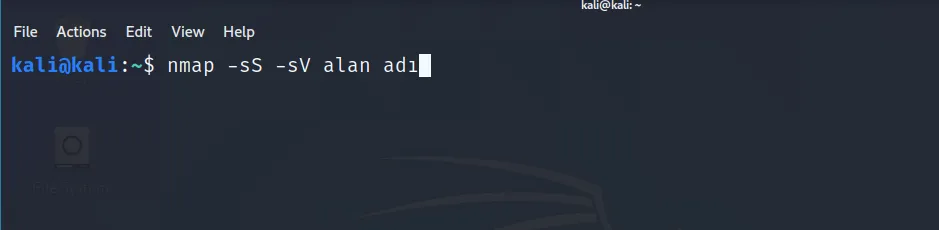
- I’ll use the following command to get information about a server.
- First, I’m using the command “nmap -sS -sV domain name”. (In the domain name field, we enter the target system’s domain name.)
- Using the parameters in front of this command, we’ll learn the server’s open ports and version information, respectively.
- Here you can also enter the target server’s IP address in place of the domain name.
- Since I don’t want you redirected to the target I entered here, I haven’t shared the domain name I used with you.
Step 4 >>>
- The information we obtained is listed below. We found that many ports are open and some are closed.
- We also learned the system’s version information.
- You may run into some firewalls here, in which case the version information won’t be listed for you in detail.
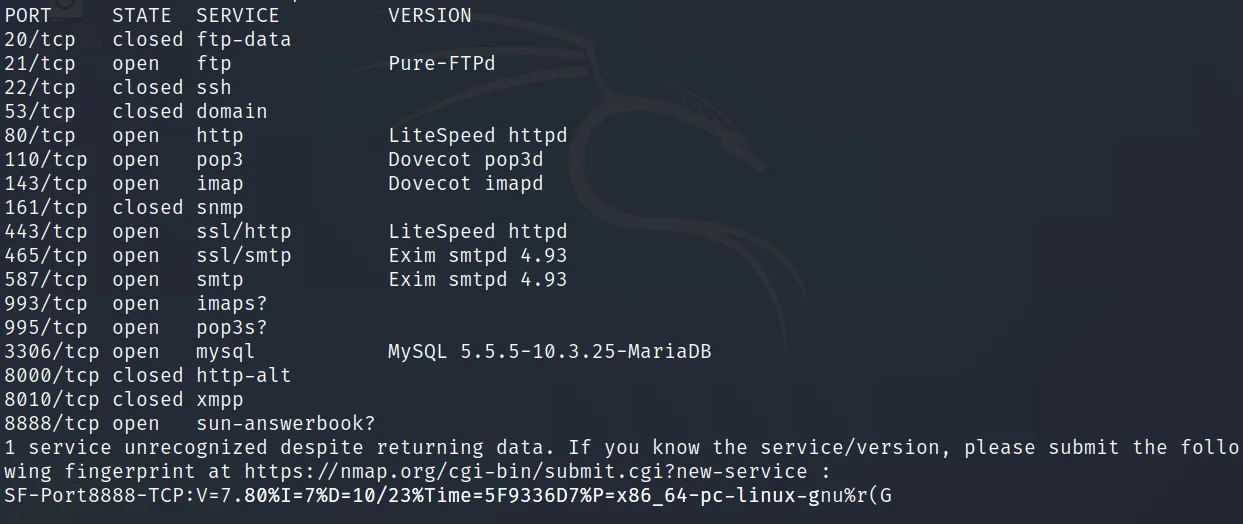
I’ve also shared below what the STATE field of the port output means.
- Open: Indicates that the port is open. And that it’s in a state where operations can be performed on it.
- Closed: Means the port is reachable but no operations can be performed on it.
- Filtered: Because incoming packets are filtered by a filtering mechanism, we can’t fully determine whether the port is open or closed.
- Unfiltered: The ports are reachable, but nmap can’t determine whether the port is open or closed.
Thank you so much, everyone, for visiting my website, reading my articles, and supporting me. See you in my other articles, stay healthy. :)