Windows Log Analysis: Important Concepts
In this article, I'll try to give you information about the event logs, Event IDs, and why and how important these ID numbers are for us during Windows…

Hello everyone. :)
In this article, I’ll try to give you information about the event logs, Event IDs, and why and how important these ID numbers are for us during Windows Log Analysis.
What Is an Event Log?
On Windows operating systems, the place where log records are kept is called the Event Log. While any operating system is running, multiple processes take place in the background.
All the operations and events that occur on these systems get recorded. These records are sometimes critically important to us. This is because, when an abnormal condition is detected on the system or following an attack, examining these records lets us gather information about the system. Having these event log records sorted chronologically also makes it much easier for system administrators to perform analysis.
Event Viewer
The events and operations that occur on Windows systems are recorded in the Event Log system. Thanks to Event Viewer, you can easily view and troubleshoot these recorded logs to understand what errors occurred on the system and why.
You can find more detailed information on this topic in this article I wrote earlier.
What Is an Event ID?
The record values found in the event log are defined as Event IDs. A large number of “Event IDs” are generated as a result of the operations that take place on Windows systems. Because these Event IDs are numerous and have many different ID values, examining events can be quite difficult. As a result, the chance that some records get overlooked also increases.
Windows Event IDs help us resolve most events, while also making it easier for us to resolve other cases.
- Some of the event IDs that matter most to us are as follows;
4624 – Successful login
4625 – Failed login
4634 – An account was logged off
4672 – Admin account logon
4634, 4647 – Successful logoff
4720 – A user account was created
4722 – A user account was enabled
4723 – An attempt was made to change an account’s password
4771 – Kerberos pre-authentication failed on the domain
4768 – A Kerberos ticket was requested
4776 – Successful or failed logon on the domain
7034 – A service crashed unexpectedly
7035 – A service received a start or stop control
7036 – A service entered the stopped or running state
7040 – A service’s start type was changed (Auto, manual, etc.)
5140 – A network share was accessed
4778 – An RDP session was reconnected
4779 – An RDP session was disconnected
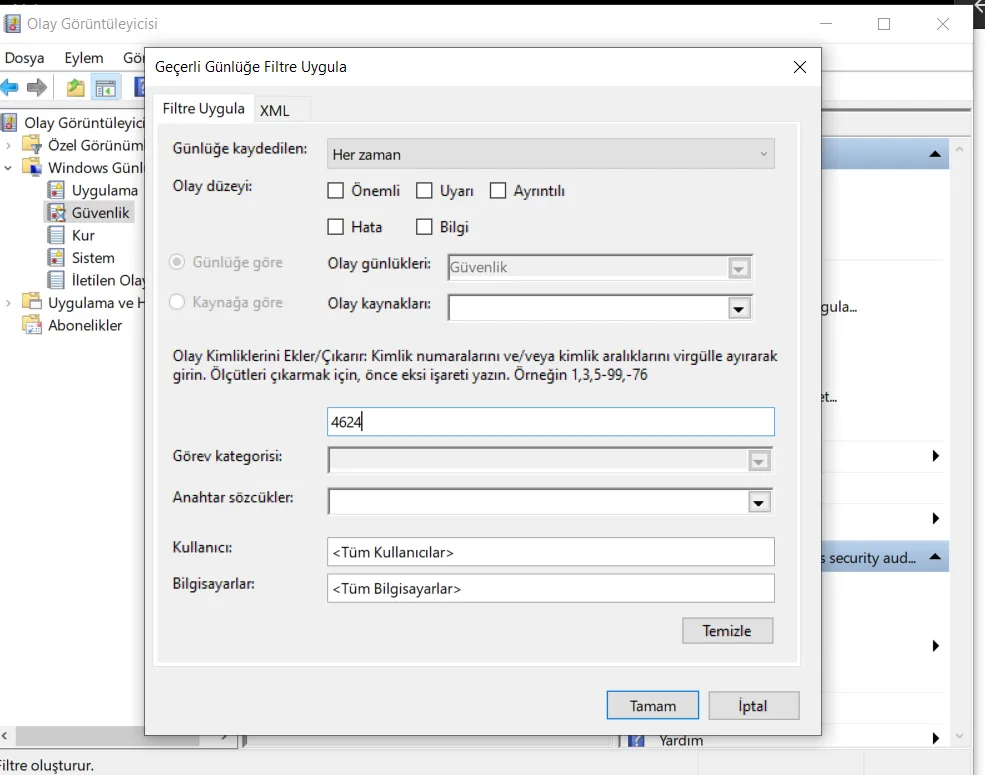
Let’s go into Event Viewer –> Windows Logs and the Security tab. By right-clicking the Security tab and selecting “Filter Current Log,” you can create filtering examples like the ones below.
- As a result of filtering on Event ID 4624, we can get to the successful login results shown in the image.
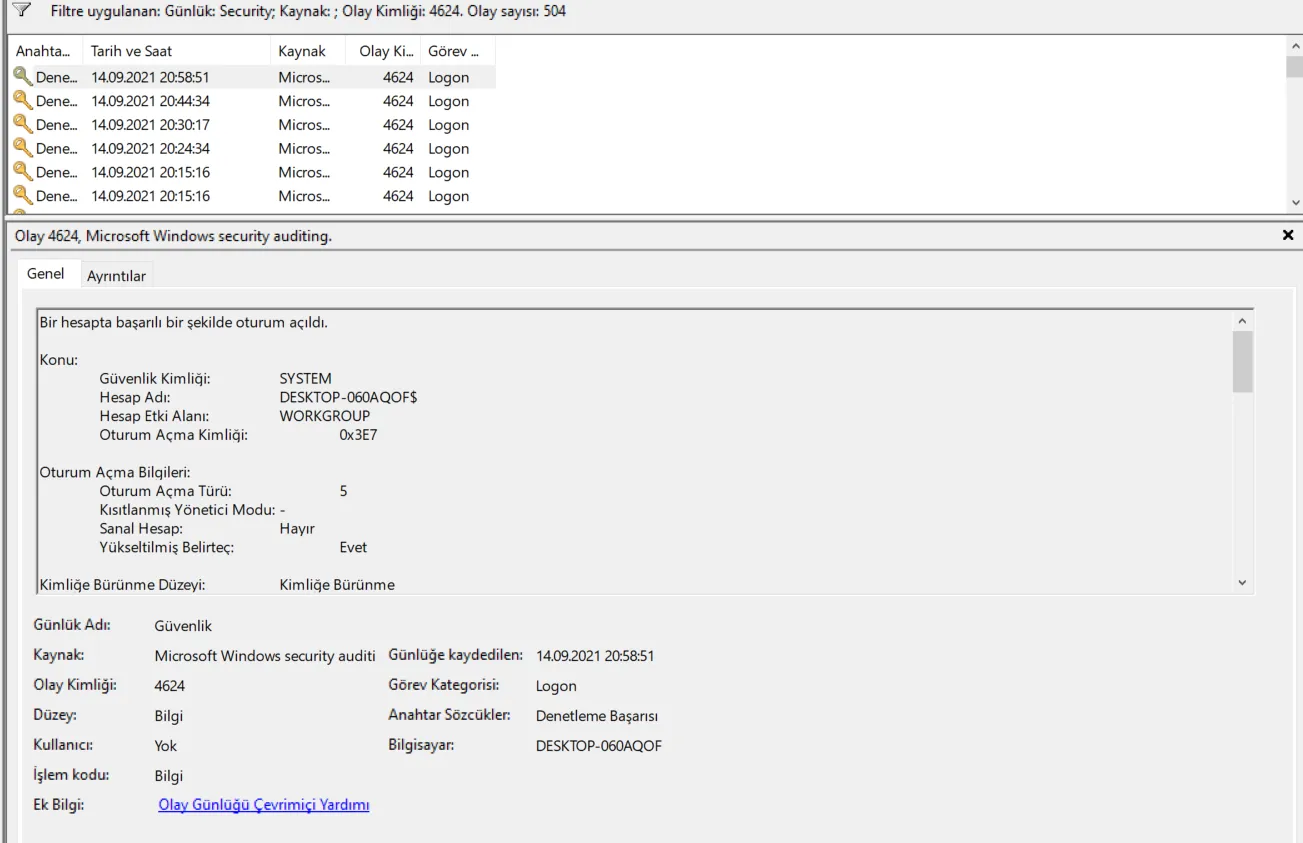
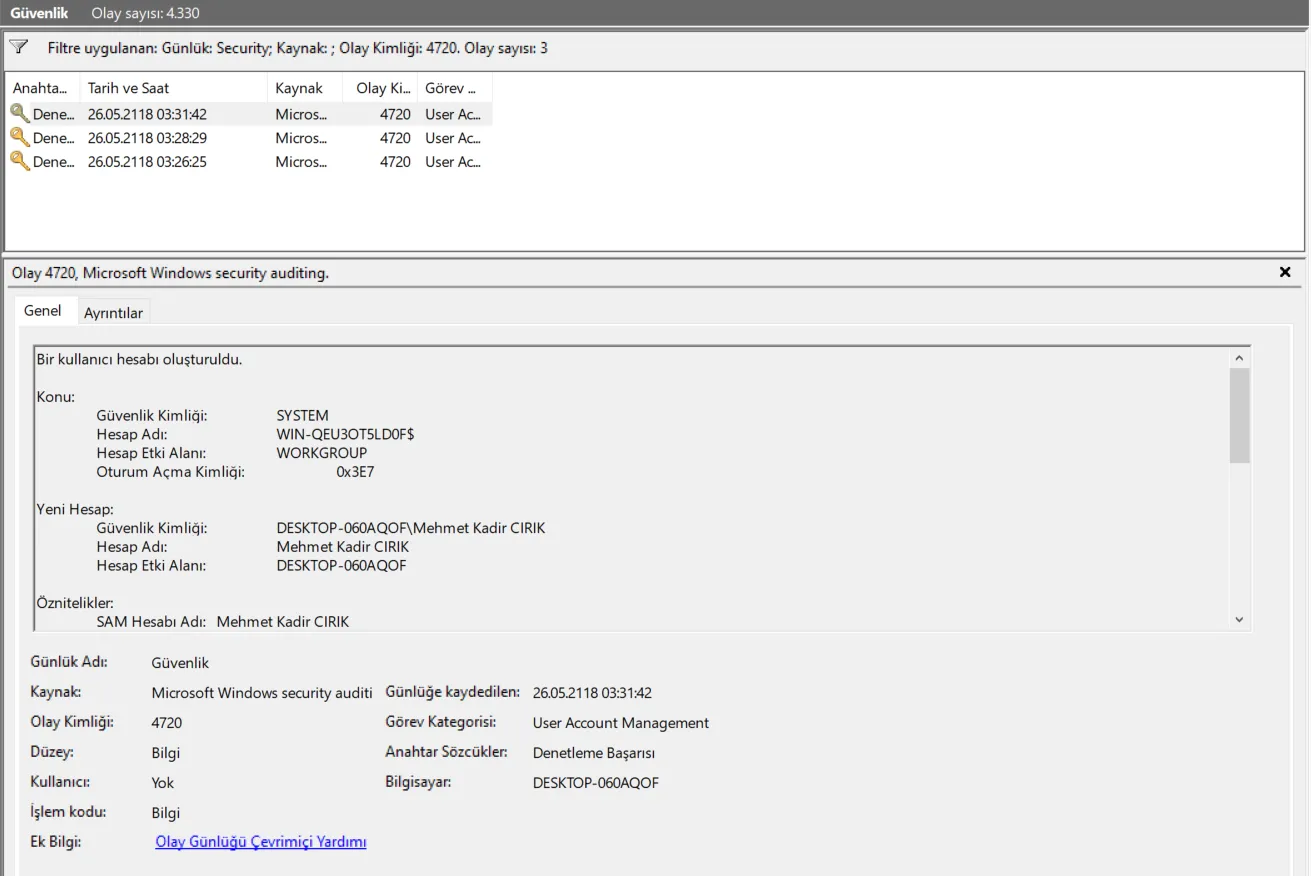
- In this image, we can see the created users by filtering on ID 4720.
Sources:
https://www.ultimatewindowssecurity.com/securitylog/encyclopedia/