Wordpress Pentest için WPScan
In this article, I will talk about the usage and commands of the WPScan tool, which comes pre-installed on Kali Linux. WPScan WPScan is an open-source…

Hello, in this article I will talk about the usage and commands of the WPScan tool, which comes pre-installed on Kali Linux.
WPScan
WPScan is an open-source security tool that lets us find vulnerabilities on WordPress-based websites and gather information about them. The WPScan tool comes pre-installed on Kali Linux. However, it can also be downloaded and used on Windows systems.
With WPScan, you can do the following;
- Obtain information about the WordPress version number of a website.
- Detect the privileged usernames and other usernames on the target website.
- Find installed plugins on the site and their vulnerabilities.
- Find the theme used on the site and any vulnerabilities present in it.
- Run a BruteForce attack against the usernames obtained.
Now let’s go over the commands we need to use the WPScan tool together,
When you first open a terminal window in Kali Linux, you will be presented with a screen exactly like the one below.
- The first time you run the tool, it may ask you to update; update the tool. The “ wpscan –update “ command is used to perform the update.
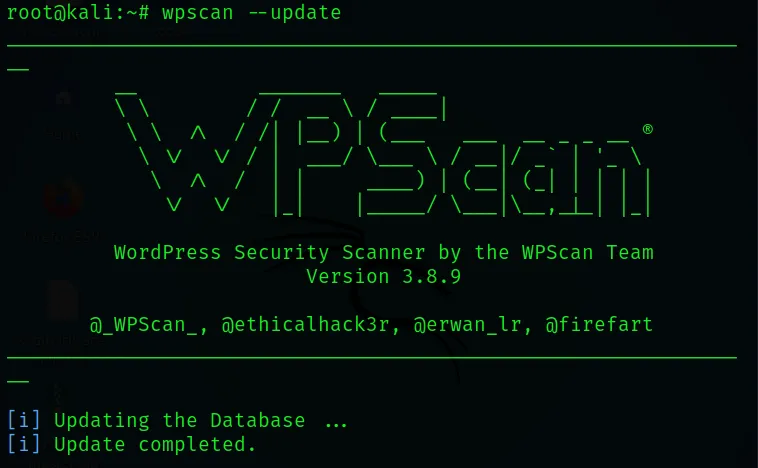
- The “ wpscan –h “ parameter is used to learn about how to use the tool. This gives you access to detailed usage information.

- The “ wpscan –version “ parameter is used to obtain the tool’s version information.

- The “ –url www.domain.com “ parameter is used to scan a website with WPScan and gather information about it. In the screenshot, I entered my own website’s URL and ran a scan.

- Scanning my own URL address gave me the results below. You can also run the necessary scan by entering the URL address you’d like to scan.
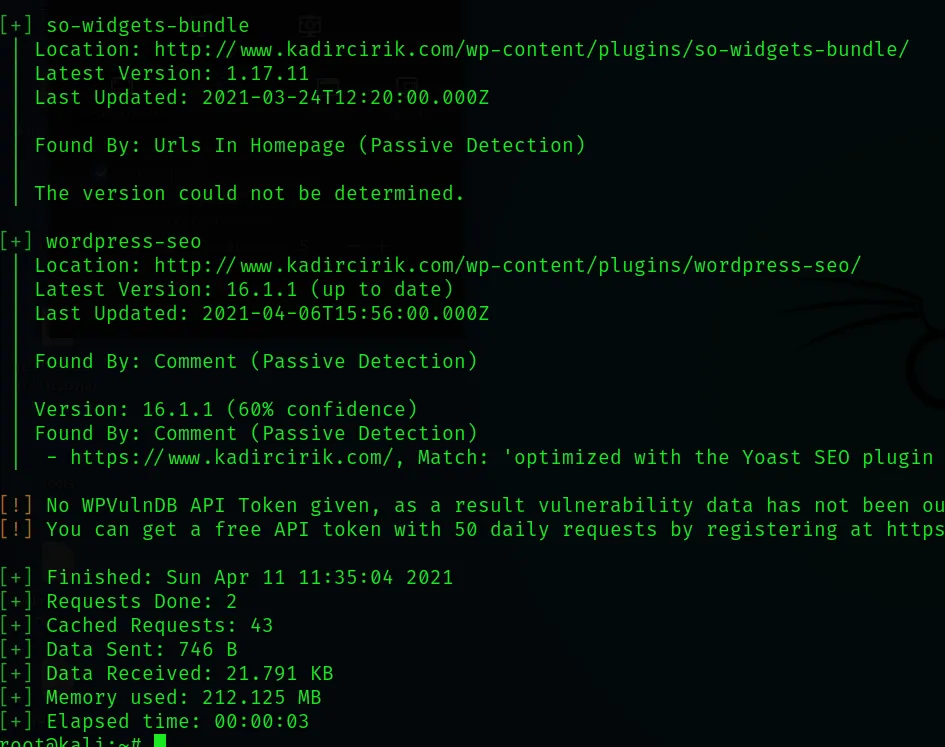
- Entering the parameter below lets you get to WordPress plugins. There are 2 ways to achieve this result. Further along in the article, I also showed the 2nd usage.
- “ –url www.kadircirik.com –enumerate p “

- Using this parameter, you can access all users on the site, including admins.
- “ –url www.kadircirik.com –enumerate u “

- In this section, as a result of the scan we ran above, we gained access to the users on the kadircirik.com site, and as a result, we found a user named mehmetkadrcrk.

- This command is used to see all plugins on a website. It provides more detailed information than the parameter mentioned above. It also takes longer to run.
- “ –url www.kadircirik.com –enumerate ap “

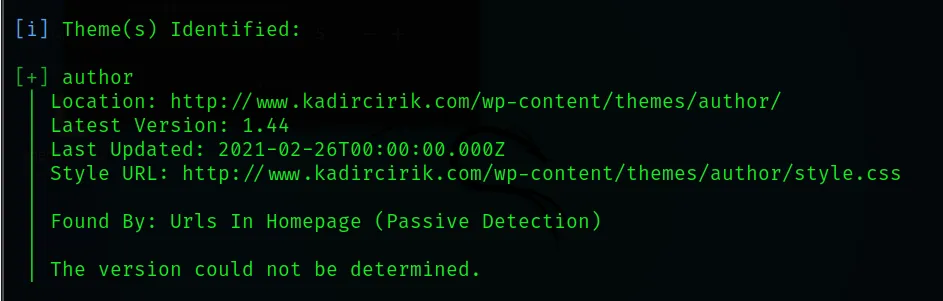
- You can see the theme (template) information used on a website by giving the parameter below.
- “ –url www.kadircirik.com –enumerate t “

- In this screenshot, the theme name used on the website was found. And as a result, it turned out that the theme named author was being used.
- This parameter is used to scan for plugins with known vulnerabilities (Vulnerable Plugins).
- “ –url www.kadircirik.com –enumerate vp “

- This parameter is used to scan the entire theme on a website. The scan takes a bit longer.
- “ –url www.kadircirik.com –enumerate at “

BruteForce Attack with WPScan
A BruteForce attack with WPScan is generally carried out by building a wordlist from usernames that were previously obtained.
- We already found the admin and other usernames on the site above using the “u” parameter.
- If we want to try passwords using the usernames we found here, we can create a wordlist.txt file and run a BruteForce attack against this user panel.
- For example, you can use these parameters as follows.
- “ –url www.hedefdomain.com –wordlist wordlist.txt –username user “

- In this part, we can also add the user.txt wordlist with the -U parameter and the password.txt wordlist with the -P parameter.
- “ –url www.hedefdomain.com -U wordlist.txt -P password.txt “

That’s generally how WPScan is used. Thank you for reading this far. :)